Get Access to free PDF

Unlock the Power of Prompt Engineering 101
Master the art of prompt engineering and supercharge your AI projects with our comprehensive guide. Learn the secrets behind crafting effective prompts.


Master the art of prompt engineering and supercharge your AI projects with our comprehensive guide. Learn the secrets behind crafting effective prompts.
.png)
Snippets are reusable, static blocks of text inserted into a prompt exactly as written, best for content that must stay identical every time, like style guides or brand rules. Content Storage uses semantic search to retrieve only the most relevant fragments from a larger knowledge base, better for large, evolving documentation. Many workflows use both together.
Key points:
As AI adoption accelerates, mastering AI prompts has become a critical skill for technical writers, marketers, localization and content teams. But effective prompt engineering isn’t just about writing better instructions — it’s about structuring context correctly.
If you're a technical writer, marketer, localization specialist, or support lead working in Promptitude, understanding content storage vs snippets — when to use each, and how they impact output quality, token efficiency, brand consistency, and accuracy.
If you want smarter generation, stronger AI content optimization, and fewer hallucinations, this distinction matters.
Modern prompt engineering succeeds or fails on how well you control context and retrieve the right knowledge at the right moment.
When building scalable AI workflows in platforms like Promptitude, the way you structure and inject knowledge into prompts determines whether your AI delivers:
This is why the choice between Snippets and Content Storage matters far more than it seems. Each method shapes how the model interprets your instructions, how precisely it retrieves information, and how predictable your results become. Selecting the right one is a foundational decision in prompt engineering, not just a technical preference.
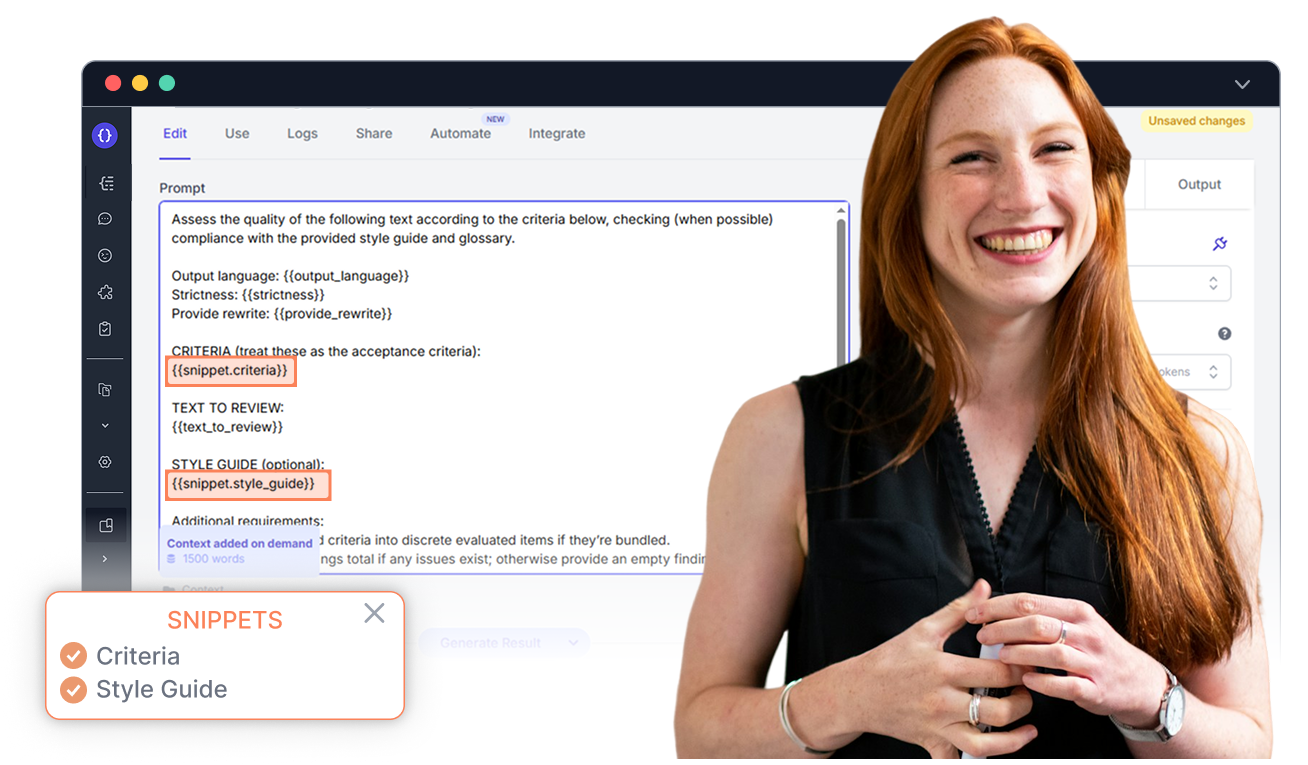
Snippets are reusable, static blocks of text that you insert into a prompt exactly as written—complete, unchanged, and fully preserved. They act as fixed building blocks that give your prompts reliable structure and predictable context.
Snippets work best for elements that must remain consistent across every output, such as:
.png)
Snippets strengthen your prompts by ensuring:
Because snippets never change, they create a controlled context layer that scales reliably across large AI workflows.
Technical writers often rely on strict, detailed style guides to keep documentation consistent across products, teams, and release cycles. Snippets make this effortless because the entire guide can be injected into every prompt exactly as written.
Content Storage is a retrieval‑based way of adding knowledge to prompts. Instead of inserting full documents, it uses semantic search to pull only the most relevant fragments from large knowledge bases. It behaves like an intelligent assistant that scans your documentation and selects the exact pieces the AI needs for the current task.
This makes it one of the most effective tools for managing large, evolving information systems inside structured prompt platforms.
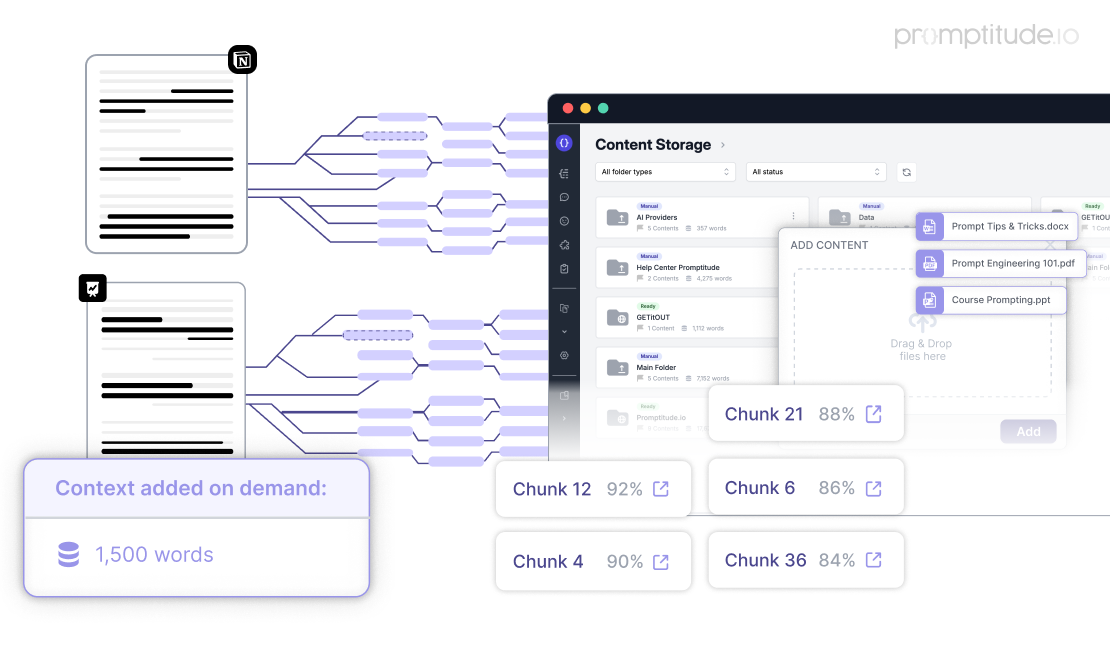
Content Storage strengthens AI workflows by delivering:
Because it retrieves context dynamically, Content Storage adapts to each request without requiring you to manually curate or paste content.
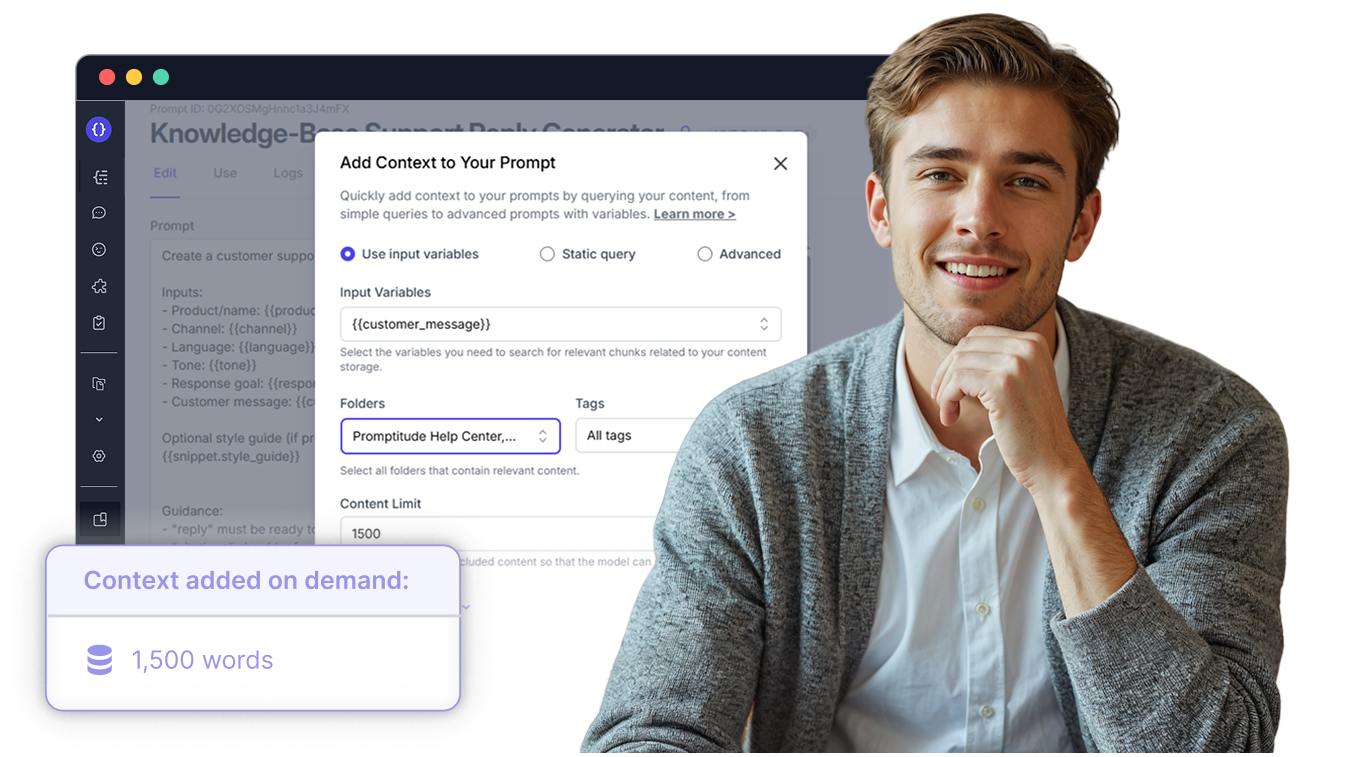
A support agent needs to answer a question about password recovery. The help center contains 100+ articles on authentication, account settings, security, and troubleshooting. Instead of inserting all of them into the prompt, Content Storage retrieves only the specific paragraphs that describe the password reset flow.
Understanding content storage vs snippets is essential for effective prompt engineering.
The choice between Snippets and Content Storage often depends on both content length and complexity.
In practice, the decision is rarely binary — it’s contextual. The key consideration isn’t just the type of content, but also how much of it the AI needs to process at once.
Use Snippets when you want full, consistent blocks, and rely on Content Storage when you need precise, query-dependent retrieval. This approach ensures both efficiency and accuracy in prompt engineering workflows.
Before building your prompt, ask:
Using Snippets and Content Storage together creates a workflow that is both controlled and adaptive. Snippets lock in the non‑negotiables—your tone, structure, and rules—while Content Storage retrieves the precise knowledge needed for each request. This combination turns prompt engineering from a tactical setup into a strategic system.
To maximize performance, follow these best practices:
1️⃣ Keep Content Updated Centrally
Maintain a single source of truth so that updates apply across all prompts using that content.
2️⃣ Use Clear Naming Conventions
Organize clearly (folders and snippets) so you can easily identify what each contains.
3️⃣ Apply Smart Tagging
Use consistent, meaningful tags to boost search accuracy and retrieval efficiency in Content Storage.
4️⃣ Verify What’s Being Used
This ensures transparency and prevents silent context errors.
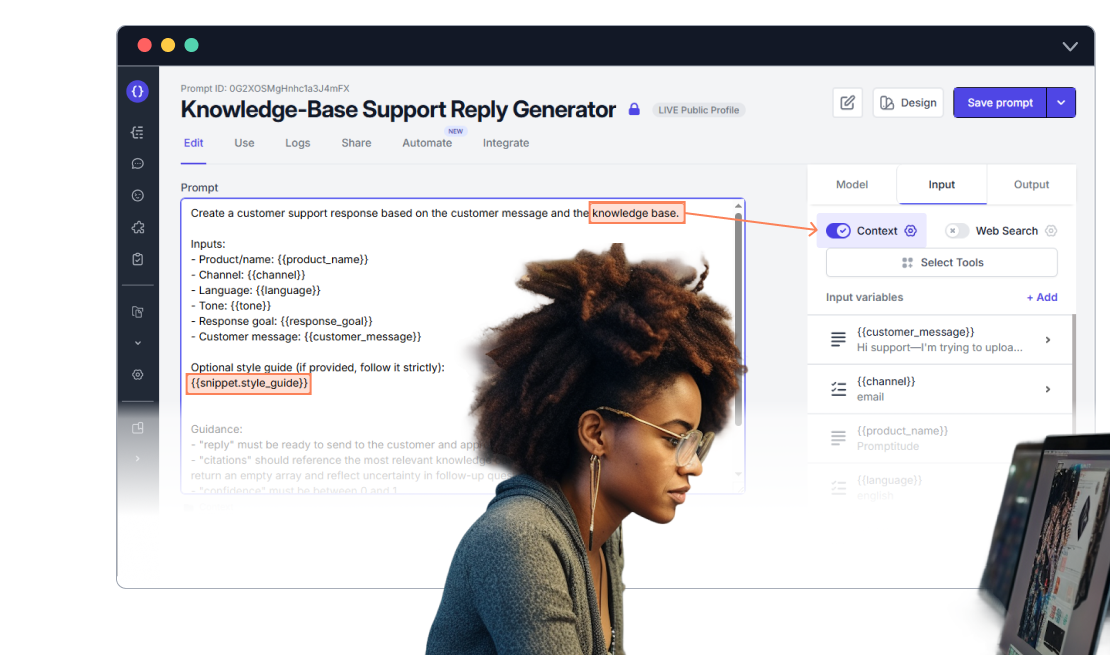
A customer support flow typically needs two types of information:
Snippets and Content Storage map directly to these needs.
Result:
This combination gives you predictable outputs without sacrificing flexibility, which is essential for scaling AI across teams and use cases.
Mastering AI prompts is less about clever wording and far more about architecting the right context. Each component plays a distinct role:
When you match the right tool to the right context, your automation becomes smarter, your outputs become more reliable, and your prompt engineering evolves from ad‑hoc prompting into a repeatable, strategic practice.
If you want to dive deeper, you can learn more about when to use Snippets versus Content Storage, along with detailed examples and best practices, in our help article.
What is the main difference between Snippets and Content Storage?
Snippets insert a fixed, unchanged block of text into every prompt, while Content Storage uses semantic search to retrieve only the most relevant fragments from a larger knowledge base for each specific query.
When should you use Snippets instead of Content Storage?
Use Snippets when the AI needs the same complete information every time — such as a style guide, buyer persona, or output template — since the content is static and doesn't change based on the query.
When should you use Content Storage instead of Snippets?
Use Content Storage when the content is part of a large, evolving knowledge base and the AI only needs the specific section relevant to a given question, such as one help-center article out of hundreds.
Can Snippets and Content Storage be used together in the same prompt?
Yes. A common pattern is to use a Snippet for stable elements like tone and structure, and Content Storage for the dynamic, query-specific information — for example, a support prompt that always includes a style-guide Snippet alongside Content Storage retrieval of the relevant troubleshooting steps.
Does Content Storage reduce token usage compared to Snippets?
Yes, for large documents. Since Content Storage only injects the specific relevant fragment rather than an entire document, it typically uses fewer tokens than inserting a large Snippet, though for short, simple content the difference is minimal.


Easily incorporate advanced generative AI into your team, product, and workflows with Promptitude's plug-and-play solutions. Enhance efficiency and innovation effortlessly.
Sign Up Free & Discover NowExperience the perfect AI solution for all businesses. Elevate your operations with effortless prompt management, testing, and deployment. Streamline your processes, save time, and boost efficiency.
Unlock AI Efficiency: 50k Free Tokens